
Choosing the right Touch Control Smart Glasses can feel simple until real-world use begins. A showroom demo rarely reveals every practical limitation. Global buyers must examine comfort, control accuracy, battery performance, privacy features, and regional compatibility before placing an order.
This guide focuses on measurable details rather than attractive promises. Look for clear specifications, independent test information, firmware support, and transparent warranty terms. A reliable pair should respond to light taps while walking, wearing thin gloves, or using the glasses outdoors. The frame should remain stable during movement. The lenses should provide comfortable visibility in changing light. Small details matter.
Test the controls carefully.
Buyers should also check charging standards, companion-app availability, language support, and replacement-part access. Wireless features may require approval in the destination market, while cameras, microphones, or recording functions can raise privacy concerns. Always review current local requirements and the manufacturer’s documentation. Do not assume global availability means universal compliance.
No checklist is perfect. Personal face shape, prescription needs, and work habits can change the final decision. We may overlook an awkward gesture or underestimate heat during long use. That is why hands-on testing, return options, and verified customer feedback remain valuable. By comparing evidence instead of following marketing language, buyers can choose Touch Control Smart Glasses that balance usability, safety, durability, and long-term support across different markets.
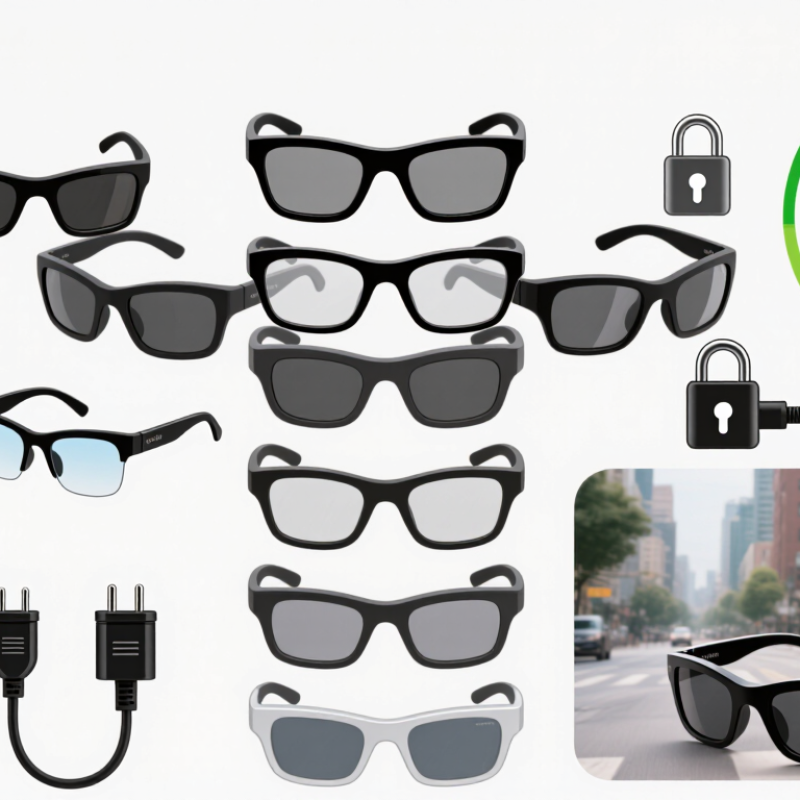
Touch control smart glasses are wearable devices with small displays, sensors, speakers, and touch-sensitive controls. They place selected digital information near the user’s line of sight. A tap, swipe, or press can manage functions without reaching for a phone. The touch area may sit on the temple, frame edge, or a connected control module. Design details vary widely.
Core functions usually include notifications, audio playback, calls, navigation prompts, and voice assistant access. Some models provide cameras, translation support, or hands-free work instructions. In practical use, touch controls should respond through light gloves and mild moisture. They should also provide clear feedback, such as a vibration or soft tone. Small details matter.
Battery life affects daily reliability. A device that lasts only several hours may not suit travel or field work. Buyers should check language support, charging standards, prescription-lens compatibility, and regional connectivity. Privacy settings deserve close attention, especially when cameras or microphones are included. Controls should be easy to learn while walking, wearing gloves, or carrying equipment. I have found that elegant demonstrations can hide awkward gestures. That assumption needs testing. A short trial with real tasks reveals more than a specification sheet. Weight balance, screen brightness, touch sensitivity, and heat around the temples can change the whole experience.
Touch-control smart glasses typically use taps, double taps, swipes, and long presses to manage media, calls, voice assistants, and volume. These practical timing benchmarks help global buyers compare touch responsiveness and usability. Actual performance may vary by hardware, software, and environmental conditions.
Choosing touch-control smart glasses starts with the person wearing them, not the feature list. A warehouse worker may need large touch targets, glove-friendly controls, and clear text under uneven lighting. A commuter may value lightweight frames, wind resistance, and quick access to navigation. For training, stable video, readable prompts, and dependable microphones matter more than decorative effects. Observe real routines before selecting hardware. Ask how long users wear the glasses, where their hands are occupied, and what happens when connectivity drops. Small trials expose problems that brochures often hide. Comfort still decides adoption.
Global buyers must match each model to regional conditions. Bright tropical sunlight, cold storage rooms, dust, and frequent rain can change performance. Check operating temperatures, ingress protection, battery behavior, repair access, and replacement-part supply. Touch gestures should work with local language layouts and common work habits. Also review wireless compatibility, data-storage practices, accessibility options, and required product certifications in the target market. Requirements differ widely. Do not treat one country’s approval as global acceptance. Pilot units with local users, translators, technicians, and safety teams. Record failed gestures, delayed alerts, and misunderstood icons. This is where selection may become less perfect, but more honest. A useful decision balances measured performance, user dignity, service reliability, and total cost over time.
For global buyers, display quality should match the job, not only the showroom. A 2024 Counterpoint Research tracker reported strong year-on-year growth in smart-glasses shipments, raising expectations for clearer displays. Check brightness in sunlight, edge sharpness, text size, and lens tint. A small microdisplay can feel useful indoors but weak outdoors. I learned this during outdoor testing. Reflections were more annoying than low resolution.
Touch control needs careful testing. Swipe actions should work with dry or slightly damp fingers. Try gloves, cold hands, and one-handed use. The interface should provide a clear vibration or sound response. It should not require repeated taps. Bluetooth SIG’s 2024 market update highlights continued growth in Bluetooth-enabled devices, but connection quality still depends on phone compatibility and software support. Check Bluetooth version, Wi-Fi availability, call stability, and reconnection speed before purchase.
Battery figures need realistic interpretation. Manufacturers often quote standby time, not active display use. Test continuous navigation, music, calls, and touch input together. A 2024 IDC wearable technology analysis identified battery life as a major purchase concern across connected wearables. For daily travel, eight hours of standby may still mean only three hours of active use. That gap matters. Charging cases help, though they add pocket weight. I would also inspect charging contacts, heat during charging, and replacement support. Some specifications remain vague, which deserves skepticism.
| Comparison Profile | Display | Touch Interface | Connectivity | Battery Performance | Durability & Comfort | Recommended Use |
|---|---|---|---|---|---|---|
| Basic Touch-Control Model | Monochrome or low-resolution micro-display; approximately 640 × 480 pixels; suitable for notifications and simple navigation. | Capacitive temple touch area with tap, double-tap, and swipe gestures; usually supports media and call controls. | Bluetooth 5.0 or later; smartphone connection required for most online functions; commonly supports BLE and hands-free calling. | About 2–4 hours of active use; approximately 1–2 days of light standby use; USB-C charging is common. | Typically 35–50 g; look for adjustable nose pads and at least basic splash resistance. | Notifications, calls, audio control, translation prompts, and occasional navigation. |
| Balanced Everyday Model | Color micro-OLED or waveguide display; approximately 640 × 480 to 1280 × 720 pixels; better text clarity and indoor visibility. | Multi-zone capacitive touch controls with adjustable gesture sensitivity, accidental-touch lock, and haptic feedback. | Bluetooth 5.2 or later; Wi-Fi may be available through a companion device or integrated module; dual-microphone calling is common. | About 4–6 hours of mixed use; roughly 1–3 days of standby; charging time commonly ranges from 60–120 minutes. | Typically 40–60 g; prioritize IPX4 or higher, balanced weight distribution, UV-protective lenses, and replaceable nose pads. | Travel, remote work, hands-free calls, navigation, language assistance, and daily media control. |
| Advanced Visual-Information Model | Color micro-OLED, birdbath, or waveguide optical system; approximately 1280 × 720 pixels or higher; improved contrast and larger virtual image. | Gesture-rich touch surface with tap, swipe, press-and-hold, volume control, and configurable shortcuts; physical buttons may provide backup control. | Bluetooth 5.2 or later, Wi-Fi 5 or newer where integrated, and possible GPS or phone-assisted location services; check regional frequency compatibility. | About 2–5 hours with continuous display use; lower endurance is normal at high brightness, high resolution, or active wireless data use. | Often 45–75 g; verify heat management, IP rating, lens adjustability, and long-wear pressure around the ears and nose. | Industrial instructions, warehouse picking, field service, real-time prompts, and data visualization. |
| Extended-Battery Work Model | Low-power monochrome or low-brightness color display; approximately 640 × 480 to 1280 × 720 pixels; optimized for text and status information. | Large touch area designed for use with gloves or limited precision; physical controls are recommended for noisy or high-mobility environments. | Bluetooth 5.x with optional Wi-Fi through a connected mobile device; enterprise buyers should confirm mobile operating-system and management compatibility. | About 6–10 hours of intermittent use when the display is used selectively; removable or swappable batteries may extend work shifts. | Usually 45–80 g; look for IP54 or higher, impact-resistant materials, replaceable lenses, and a secure fit during movement. | Logistics, inspection, maintenance, inventory scanning, and other shift-based professional applications. |
| Global Buyer Checklist: Confirm smartphone operating-system support, regional wireless certifications, USB-C charger compatibility, local warranty coverage, language support, replacement-lens availability, privacy controls, and the manufacturer’s published battery test conditions. Actual runtime varies with display brightness, wireless activity, temperature, audio volume, and touch interaction frequency. | ||||||
How to Choose Touch Control Smart Glasses for Global Buyers
Comfort should be tested during real movement, not only during a short showroom fitting. Check the nose bridge, temple pressure, lens weight, and balance behind your ears. Touch controls should respond with a light tap, even when your hands are slightly damp. Small gestures matter. A stiff surface can cause repeated taps and user frustration. Durability depends on hinge strength, scratch resistance, sweat protection, and charging-port quality. Inspect the frame after opening and closing it several times. I once underestimated temple pressure because the glasses felt fine for five minutes. Longer wear exposed the problem.
Privacy requires clear camera indicators, local control options, and transparent data settings. Avoid products that hide recording status or provide vague storage explanations. Compatibility covers phone systems, wireless standards, language support, prescription lenses, and charging accessories. Check these details before importing, because regional versions may differ. Safety deserves equal attention. Choose lenses with suitable optical clarity, secure fit, heat control, and adjustable brightness. Touch controls should not distract you while walking, cycling, or crossing roads. Never assume every smart feature is harmless. Even a reliable device can become uncomfortable after an hour, and my evaluation may miss issues under bright sunlight or heavy rain. Test conditions should be broader.
Check Certifications, Support, Warranty, and Total Ownership Cost
A reliable purchase starts with certification evidence, not attractive product photos. Ask for current test reports covering electrical safety, radio functions, battery performance, and regional requirements. Certification names differ across markets, so verify whether the documents match your destination country. Check the model number carefully. A certificate for a similar version may not protect your purchase.
Support quality becomes visible after installation. Ask whether assistance is available in your time zone and preferred language. Confirm response times, firmware update methods, replacement-part availability, and troubleshooting procedures. A useful supplier should explain touch sensitivity, glove operation, outdoor visibility, and charging behavior clearly. Test the support team with specific questions before payment. Silence is informative.
Warranty terms deserve the same attention. Read coverage periods, repair locations, return shipping rules, and exclusions for scratches, moisture, or battery wear. Calculate total ownership cost over two or three years. Include chargers, prescription lenses, software fees, customs charges, training, and possible replacements. The cheapest unit may become expensive after one failed battery. I still find low prices tempting, and that is where judgment can slip. A spreadsheet helps, but it cannot measure delayed support or interrupted work. Leave room for those risks.
They are wearable glasses with displays, sensors, speakers, and touch-sensitive controls. Users can manage selected functions near their line of sight.
Common functions include notifications, music, calls, navigation prompts, and voice assistant access. Some models also support translation or hands-free work instructions.
Try tapping and swiping with gloves, cold fingers, and slightly damp hands. Controls should respond without repeated gestures. Clear feedback helps.
Check brightness, text size, edge sharpness, and lens reflections. A display that looks clear indoors may become difficult under direct sunlight.
Test active navigation, audio, calls, and touch input together. Standby figures can mislead; eight hours of standby may provide only three active hours.
Warehouse workers may need large touch targets and glove-friendly controls. Commuters may prefer lightweight frames and quick navigation access. Comfort still decides adoption.
Check sunlight, dust, rain, cold rooms, operating temperatures, and repair access. Wireless compatibility, language layouts, data practices, and local certifications also matter.
Run a short pilot with real users and ordinary tasks. Record failed gestures, delayed alerts, temple heat, and connection drops. Small trials matter.
Review microphone, camera, storage, and permission settings carefully. Users should understand when information is collected or shared. Demonstrations can hide awkward realities.
Do not assume better specifications guarantee better daily performance. Weight balance, charging heat, screen reflections, and reconnection speed may matter more. Some specifications stay vague.
Choosing Touch Control Smart Glasses requires more than comparing appearance or headline features. Global buyers should first understand how the glasses work, including touch controls, visual display, audio, cameras or sensors, and hands-free connectivity. Consider the intended users and scenarios, such as navigation, workplace assistance, translation, entertainment, or industrial tasks, while also accounting for regional preferences, network standards, language support, and local regulations.
A careful evaluation should cover display clarity, touch responsiveness, wireless connectivity, charging time, and battery endurance. Comfort is equally important, including weight, fit, ventilation, lens options, and long-term wearability. Buyers should also review durability, data privacy, device compatibility, safety features, and software support. Before purchasing, verify applicable certifications, after-sales service, warranty coverage, replacement parts, and expected maintenance expenses. Comparing the total ownership cost—not only the initial price—can help buyers select a reliable solution that fits both practical needs and regional requirements.