
Lightweight Smart Eyewear is moving from niche gadget to everyday accessory. Counterpoint Research reported that global smart-glasses shipments rose 210% year over year in the first quarter of 2024. That growth signals stronger interest, but it does not prove that every frame is comfortable, durable, or useful. A popular launch can still feel heavy after an hour.
Choosing well in 2026 means looking beyond the number on the product page. Check the complete frame weight, its balance across the nose and temples, and whether the arms press behind your ears. Small details matter. A nose pad that slips during a walk can be more frustrating than a modest battery. Review battery life under realistic use, not only standby claims. Check display visibility outdoors, microphone clarity in a noisy street, and compatibility with your phone or prescription lenses. Those needs vary.
Treat industry data as context, not a buying verdict. Shipment growth measures products sold, not long-term comfort or customer satisfaction. Try the eyewear, if possible, and wear it for several minutes while looking down and turning your head. Ask how it handles heat, charging, software updates, and repairs. I would not assume the lightest frame is automatically the best. A few extra grams may feel better when weight is evenly distributed. Some trade-offs remain, and product specifications rarely tell the whole story. A careful comparison should match the eyewear to your daily routine, not to a trend.
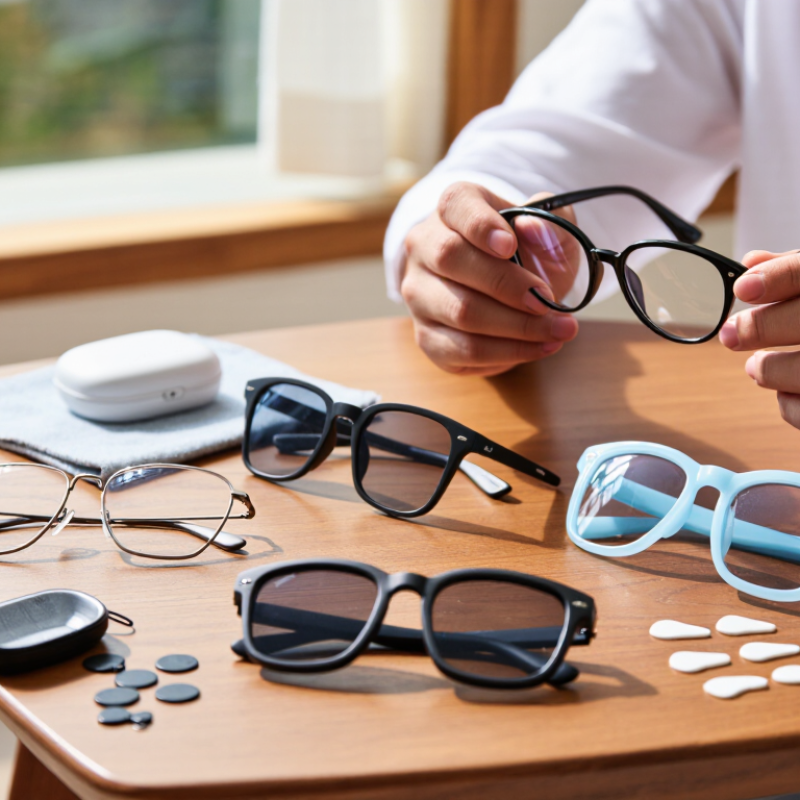
Before comparing frames, picture a normal day of use. Are you taking calls while walking, capturing short clips, following turn-by-turn directions, or listening to audio during a commute? Pick one main task. A device that handles that task comfortably is more useful than one crowded with features you rarely open.
Counterpoint Research reported that global smart-glasses shipments rose 210% year over year in the first half of 2024. Grand View Research estimated the global smart-glasses market at USD 1.93 billion in 2023 and projected a 27.3% compound annual growth rate through 2030. These figures describe a growing category, not proof that every model fits every wearer. I would treat them as context, not a reason to buy quickly.
Match features to your routine. For calls, check microphone clarity in a breezy street and whether open-ear audio leaks in a quiet room. For filming, consider camera angle, recording controls, storage, and battery life across a typical outing. Check weight and nose-pad pressure after several minutes; a frame can feel light in your hand but uncomfortable on your face. Don’t overlook prescription compatibility or lens options. Privacy indicators matter, too. Specs can mislead. I’d want to try the fit before trusting a product page, and that step is easy to skip.
How to Choose Lightweight Smart Eyewear in 2026?
A low number on the scale can feel appealing, but total weight is only part of comfort. Check how the frame sits across your nose and behind your ears. It should stay steady when you look down, without pinching or sliding. Fit matters. Try it for at least ten minutes, and notice pressure after moving your head. A slightly heavier frame with balanced weight may feel better than a featherlight one with a narrow nose bridge.
Lens choice should match your day. Clear lenses suit indoor use; photochromic lenses adapt to changing light, while polarized lenses can reduce outdoor glare. The Vision Council’s 2016 report on digital eye strain found that 65% of Americans experienced related symptoms. That figure is not a diagnosis, but it is a useful reminder to consider screen habits, reflections, and prescription accuracy. Ask an optician to check lens compatibility with the eyewear’s display and sensors.
Comfort also depends on heat, battery placement, and touch points. Wear the glasses while reading, walking, and taking a call. Notice whether the temples press against your head or the frame shifts when you smile. Small details count. Do not assume a lighter frame is automatically the right one; I’d give fit and balance equal weight, even when the spec sheet makes weight look like the easiest answer.
Approximate material density can help you compare frame materials: lower-density materials may support a lighter design, but finished eyewear weight also depends on frame shape and electronics. Check the complete product weight and try the fit for pressure at the nose and temples. Compare lens options for your prescription, glare protection, and intended use.
Lightweight smart eyewear should feel comfortable after an hour, not just during a quick fitting. Check which functions matter in daily use: spoken notifications, hands-free calls, navigation prompts, or audio playback. A bright shop can hide a dim display. Test controls while walking, if possible, and notice whether taps or voice commands feel awkward. I still find small controls easy to overlook.
Battery life depends on what is running. Continuous audio, frequent notifications, and calls may shorten the time between charges. Look for battery estimates that describe their test conditions, then compare them with your routine. A short commute is different from a full day of calls. Check charging time and whether the case adds convenient extra power. A few minutes of charging may help, but do not assume every model supports it.
Compatibility deserves a careful check before purchase. Confirm that the eyewear works with your phone’s operating system, Bluetooth version, and required companion app. Some features may be limited on certain devices, even when basic audio works. Review app permissions and verify that calls, notifications, and media controls behave as expected. If you use a work phone, ask about device restrictions; that detail can be frustrating to discover later.
| Evaluation Factor | What to Check | Practical Selection Guide | Why It Matters |
|---|---|---|---|
| Weight and Fit | Check the complete eyewear weight, frame balance, nose-pad design, and temple pressure. | Compare stated weights and, where possible, try the frame on for at least several minutes. A lower weight can help, but good balance and fit are also important. | Weight distribution and fit affect comfort during extended wear; the lightest frame is not automatically the most comfortable. |
| Smart Functions | Identify whether the eyewear offers audio, calls, a camera, voice control, notifications, or an in-lens display. | Choose functions you expect to use regularly. Confirm which features work without a phone connection and which require a companion app or internet access. | Features and operating requirements differ by device; extra functions may add weight, power use, or setup steps. |
| Battery Life | Review the maker’s stated runtime, charging time, charging method, and whether a charging case is included. | Check runtime for the specific features you plan to use. Camera recording, calls, audio playback, and display use can affect battery life differently. | Published battery estimates depend on usage and test conditions, so they may not match everyday use. |
| Device Compatibility | Confirm support for your phone’s operating system and version, Bluetooth requirements, companion app, and any required account. | Check the current compatibility list before buying, especially if you use an older phone or need a particular calling, messaging, or accessibility feature. | Basic connections and app-dependent features may have different device and software requirements. |
| Prescription and Lens Options | Check prescription availability, lens replacement rules, frame sizing, and whether your prescription falls within supported limits. | Ask an optical professional to confirm fit and prescription suitability before ordering; availability varies by frame and seller. | A frame that fits your technology needs may not suit every prescription or lens type. |
| Privacy and Controls | Look for clear camera or microphone indicators, accessible mute controls, and understandable privacy settings. | Review how recording is signaled, how data is stored or shared, and how to disable sensors and permissions. | Transparent controls help you manage personal data and make others aware when recording features are active. |
| Durability and Daily Use | Check the stated water or dust protection, warranty terms, repair options, and availability of replacement parts. | Verify the protection rating and its stated limits; do not assume the eyewear is suitable for swimming or heavy rain unless specified. | Smart eyewear combines electronics with a wearable frame, so care requirements and repairability affect its useful life. |
| Overall Value | Compare purchase price with the functions you will use, required accessories, subscription costs, and warranty coverage. | Prioritize comfortable fit, compatible features, and dependable support over a long feature list you may not need. | The best choice depends on personal needs, total cost, and how well the eyewear fits into your daily routine. |
Lightweight smart eyewear should feel comfortable after an hour, not just during a quick try-on. Privacy deserves the same hands-on check. Look for a clear way to mute microphones or disable cameras, plus an indicator that shows when recording is active. Small details matter. Before buying, check where photos, voice clips, and activity data are stored, and whether you can delete them easily. Try the controls while wearing the glasses; tiny touch surfaces can be awkward outdoors.
Durability is more than a sturdy frame. Gently open and close the hinges, check that the arms do not pinch, and look for replaceable nose pads. Read the product’s water-resistance limits rather than assuming it can handle rain or sweat. Lenses can scratch, and batteries gradually lose capacity. Ask whether common parts can be repaired or replaced. A feather-light frame that becomes uncomfortable after a small adjustment is still a poor fit.
Long-term support affects how useful the eyewear stays. Check how long software updates are expected, whether key features depend on a phone app, and if replacement parts will remain available. Read warranty exclusions carefully; accidental damage may not be covered. I would not treat a long warranty as proof of lasting support. Companies’ plans can change, and published details may be vague. That uncertainty is worth weighing before paying extra for connected features.
A useful comparison starts with a shortlist, not a shopping-page ranking. Choose a few lightweight smart eyewear models that fit your budget and intended use. Wear each pair for at least twenty minutes, including while reading and walking. Notice pressure on the nose, warmth near the temples, and whether the frame shifts when you look down. Comfort matters. A tiny pinch can feel much worse after an hour.
Test the features you expect to use, rather than trusting a specification sheet. Record how quickly the eyewear connects, how clear its audio sounds in a quiet room, and whether controls are easy to find without looking. Try the same tasks with every shortlisted model. Check battery performance during your normal routine, such as a commute and a short call. My own comparison would not be a laboratory test; volume, phone settings, and room noise can skew results. That limitation is worth noting.
Compare overall value by weighing comfort, dependable features, battery life, warranty terms, and price together. A lower price may be sensible if you mainly want hands-free audio. If you plan to wear the eyewear all day, better balance and a secure fit may justify spending more. Keep a simple scorecard, but leave room for personal preference. Numbers help; they do not erase an annoying nose pad.
Pick one main task, such as calls, short videos, navigation, or commute audio. A simpler pair may suit you better.
Test microphone clarity on a breezy street. Check whether open-ear audio can be heard in a quiet room. Try it outside.
Check the camera angle, recording controls, storage, and battery life during a typical outing. Small controls can be fiddly.
Wear them for several minutes, then check nose-pad pressure and whether the arms pinch. A light frame can still feel wrong.
Look for microphone muting, camera controls, and a clear recording indicator. Check where photos and voice clips are stored, and how easily you can delete them.
Check the hinges, replaceable nose pads, and stated water-resistance limits. Don’t assume they can handle rain or sweat.
Batteries gradually lose capacity, and lenses can scratch. Ask whether common parts can be repaired or replaced. I would check twice.
Yes. Check update expectations, phone-app requirements, and replacement-part availability. Warranty terms may exclude accidental damage, and future support can be uncertain.
Choosing Lightweight Smart Eyewear in 2026 starts with understanding how you plan to use it, whether for calls, navigation, hands-free audio, or everyday convenience. Prioritize features that support those needs, then compare frame weight, fit, lens options, and comfort. A lightweight design should feel secure without creating pressure during extended wear, while suitable lenses should work well in the environments where you expect to use the eyewear.
Next, consider smart functions alongside battery life and compatibility with your devices. Review privacy controls, durability, and the availability of long-term software support before making a decision. If possible, try your shortlisted options to assess comfort, usability, and performance firsthand. Comparing these factors together can help you find a practical balance of features, reliability, and price rather than choosing based on specifications alone.